SEO redirect toolkit.
Check the map
before the move.
Run this Python software on your computer to plan a website migration. Collect XML sitemap URLs, check HTTP status codes and use guided prompts to draft a 301 redirect map.
One payment. No VAT. Use on your own sites and client projects.

Software on your computer.
Results in your spreadsheet.
The checking tool runs in the command line: you type a command, press Enter and it saves a CSV. The included guide walks you through it.
Unzip. Open the start guide.
Your download contains the Python software, four prompts, example files and START-HERE.html.
- Extract the ZIP into a folder.
- Double-click
START-HERE.html. It opens in your browser. - Install Python 3.10 or newer if needed. Keep the toolkit files together.
The browser page is your guide. The checking software runs separately in your terminal. There is no desktop app to click through.
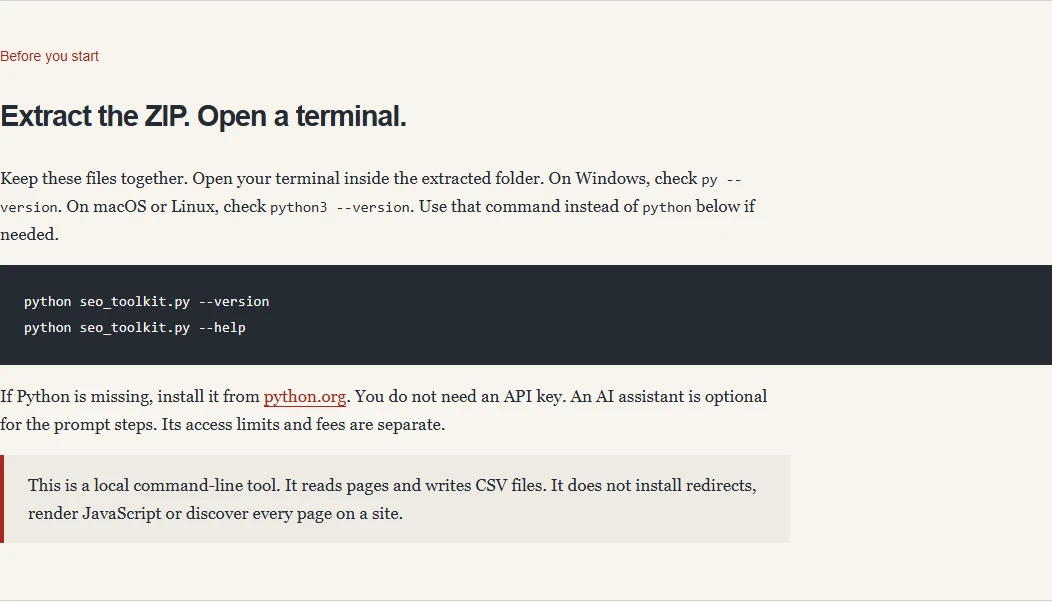
One command starts the check.
Open PowerShell on Windows, or Terminal on macOS or Linux, inside your extracted toolkit folder.
Create urls.csv with a column called url and one page address per row. You can also use a URL list collected by the sitemap command.
Run this command. It checks your list and creates pages.csv in the same folder.
On Windows, use py if python is unavailable. On macOS or Linux, use python3. No API key or extra Python packages are needed.
python seo_toolkit.py check urls.csv --output pages.csv
Saved 3 rows to pages.csv. Review pages.csv.run.json.
Open the file. Read the evidence.
Open pages.csv in Excel, Google Sheets or another spreadsheet app.
You get HTTP status codes, redirect hops, final URLs, titles, H1s and canonicals. The separate .run.json file lists errors and incomplete checks.
These are three real rows from the command shown here. A 200 response is an HTTP result. You still review whether the page is a suitable destination.
Download the actual sample CSV| Page checked | First status | Redirect hops | Final status |
|---|---|---|---|
| Homepagejasonburns.co.uk/ | 200 | 0 | 200 |
| SEO Redirect Toolkit/shop/seo-redirect-toolkit | 200 | 0 | 200 |
| Site Migration SEO/services/site-migration-seo | 200 | 0 | 200 |
Reviewing performance after a migration? Preview the Search Console Client Action Kit for evidence-backed client actions.
A similar URL can lead to the wrong page.
A boiler repair service and a boiler troubleshooting article share words. They serve different needs. A prompt can still match them if you only give it the URLs.
Give the assistant evidence.
Then check its suggestions. The toolkit records existing redirects, page headings and destination checks so you can review each pair.
A redirect sends visitors and search engines from an old URL to a new location. Matching the content matters: search engines need a relevant destination, and visitors need the page they expected.
| Old page | Proposed destination | Evidence | Next step |
|---|---|---|---|
/boiler-repairs | /services/boiler-repair | 301 → 200 1 existing hop | Already redirects |
/emergency-plumber | /guides/stop-a-leak | Service → article Different purpose | Review the match |
/old-offer | /offers/summer | Target returns 404 | Find a valid target |
Fictional example. Python checks the HTTP evidence. You review page purpose with the prompts.
Start with URLs.
Finish with a reviewed plan.
Run the tool on your computer. Keep the CSV files. Repeat the checks after your developer installs the approved redirects.
- 01
Collect
Read XML sitemaps and sitemap indexes. Add historical URLs from your CMS, Search Console or logs.
sitemap → urls.csv - 02
Check
Record HTTP status codes, every redirect hop and the final target URL. Compare titles, H1s and canonical URLs for old and new pages.
check → pages.csv - 03
Match
Use the prompts and your page evidence. Keep uncertain matches in a separate review list.
prompts → draft map - 04
Validate
Check both URLs. Flag existing redirects, redirect chains, redirect loops and broken target URLs before installation.
validate → review.csv
The prompts.
The tool.
The worked example.
I have packaged the whole task together. You get the files to run it and a guide that explains the decisions.
Version 1.0.0. English. An AI assistant is optional. Its upload limits and fees are separate.
- .PY
A Python redirect checker
Sitemap extraction, page checks and redirect validation. No extra Python packages. The crawler reads your URL lists and flags incomplete checks.
- .MD
Four task-specific prompts
Inventory review, 301 redirect matching, a deployment brief and sitemap cleanup. Each names the inputs and the output you need.
- .CSV
Worked examples
Old URL and new URL lists, content summaries and a draft map. Includes an explanation of a tempting but unsuitable redirect match.
- .HTML
An offline start guide
Setup commands, the full workflow and links to your files. Plus repeatable local tests and full technical notes.
Try this sample instruction in your next redirect prompt
Review the supplied old and new page inventories.
Only propose destinations that exist in the supplied new inventory.
Match the page's purpose, service or product, and location.
A service page and an advice article are not equivalent just because they share words.
If the source already redirects, report the observed chain before suggesting changes.
Keep uncertain or unmatched URLs in a separate review list. Do not default them to the homepage.
For each candidate, return source_url, target_url, supporting_evidence and review_needed.
Do not say that a redirect is safe to install. A person must check the match and live URLs.
For people doing
the SEO work.
- You can install Python and run a terminal command.
- You have permission to check the websites in your list.
- You want CSV evidence you can inspect and reuse.
- You will review the matches before changing the site.
Need someone to plan and oversee the move? My site migration SEO service covers that separately.
This toolkit reads XML sitemaps and HTTP responses. It does not run JavaScript, crawl every internal link or install redirects. The default limit is 500 URLs per run. You can raise it to 10,000.
Python command-line software, four prompts and a start guide. Runs on your computer with Python 3.10+.
No VAT. No subscription. Download the ZIP after Stripe confirms your card payment.
Review your details on Stripe before paying. You return here for your download. Save that private confirmation page for future access.
Licence for your business and its client projects. No redistribution of the toolkit files. Access help and bug support: hello@jasonburns.co.uk.
A few useful answers.
What is the difference between a 301 and a 302 redirect?
A 301 redirect signals a permanent move. A 302 redirect is temporary. Google recommends permanent server-side redirects when a page's URL changes permanently. A 308 is also a permanent redirect; a 307 is temporary. The checker records each HTTP response so you can review which redirect type your server returns.
Choose the redirect to suit the move. A temporary redirect does not send the same canonical signal as a permanent redirect. Read Google's redirect guidance before changing an existing 302 redirect.
Can this help with broken links and redirect chains?
It checks the old URLs and target URLs you supply. A redirect chain adds intermediate hops before the final page. A redirect loop returns to an earlier URL. Both need review before you add another redirect rule.
The CSV records 404 responses that may explain broken links. It also shows whether a proposed destination redirects again. The crawler does not discover every internal link, so bring your existing broken-link list. A 403 or timeout remains an access problem, not a confirmed broken page.
Is this a redirect manager or a website plugin?
It is a download for planning and checking URL changes. A redirect manager creates and serves redirect rules inside your CMS or hosting setup. This toolkit runs on your computer and produces CSV files. It does not create redirects on your server or edit your website's content.
Your developer handles the approved redirect setup. They should update internal links and the XML sitemap to the new URLs, then recheck the redirect results. Meta refresh redirects and JavaScript redirects are outside this HTTP checker's scope.
Will redirects preserve my search engine rankings?
Relevant redirects help visitors reach moved content and give search engines signals about the new location. They do not guarantee rankings or traffic. Search engines also consider the content and other signals when choosing a canonical URL.
For SEO, review the match as well as the status code. After a website move, monitor old and new URLs in Search Console. Follow Google's site-move checklist. Search results and traffic can change while search engines process the move.
Do I need ChatGPT Plus or an API key?
The Python tool needs neither. You can use the prompts with your preferred assistant. Upload support and file limits vary by account. You can also review the CSVs yourself. Any AI subscription is separate.
Will it crawl my entire website?
It reads URLs from XML sitemaps and checks the lists you give it. It does not follow all internal links or run JavaScript. Gather old URLs from other sources too. Failed sitemap files and crawl limits are flagged in the run summary.
Does it automatically create or install 301 redirects?
No. The prompts help you draft a map. Python checks the URLs and flags technical issues. You confirm the page matches. Your developer installs the approved redirects using your site's platform.
Can I use it for client work?
Yes. The purchasing person or business can use and adapt the toolkit for its own sites and client projects. You can give clients your finished maps and reports. You cannot resell or distribute the toolkit files or prompts.
What happens if a page blocks the checker?
The result records the access problem. A 403, timeout or robots restriction is not called a missing page. Check it in your browser and add the evidence before deciding what to do.
What if I need help with the download?
Email hello@jasonburns.co.uk with your purchase email. I can help with access and reproducible bugs. Website-specific advice and implementation are separate. Your consumer rights remain in place.